Showing posts with label photoshop. Show all posts

Thursday, 24 January 2019

Note for the future: if there is no centre point of a figure in photoshop in transform mode, make sure that this option is ticked :)


Doing some "UI" for the board game, found useful links:

- how to create radial symmetry in photoshop
https://blogs.adobe.com/jkost/2018/01/mandala-and-radial-symmetry-in-photoshop-cc.html

- how to create circular pattern
https://youtu.be/SIoLUEUPSSs

One new illustration for the game


Trying Blender :)


Aaaand some useful books:

Hyperfocus by Chris Bailey
Reinvent me by Camilla Sacre-Dallerup
How to be an imperfectionist by Stephen Guise

Sunday, 25 November 2018

It's been a long time :)

Haven't updated this blog for such a long time.

So, what's happen:

- a kitten, although we had to return him, sad experience.. :( Will try again aftrer finishing the main big project.

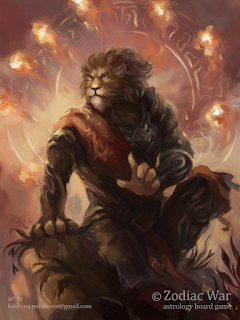
- two new pieces for Zodiac War board game:


- Some figure practice

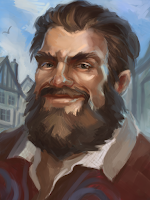
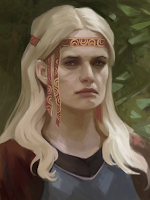
- Quick portraits for personal DnD project:


- Wedding invitations!


- And 3D! :) finally

So, I opened Zbrush, raged and closed it, opened Blender, even made a doughnut! :D
Seriously, Andrew Price is a great teacher. Some of his tutorials on Youtube: https://www.youtube.com/playlist?list=PL2CfvJqS-h6o6CJCd2ykWooBIahuL38q1

I am really pleasantly surprised how clear his explanations are. As an ex-teacher I just adore :)

Some useful links for Blender and 3D:

- Characters, an add-on by Manuel Bastioni: http://www.manuelbastioni.com/download.php
- Animated characters from Maxamo: https://www.mixamo.com


#3d #blender #weddinginvitations #portrait #characters #boardgame #zodiacwar #zodiac


Wednesday, 25 July 2018

Speed up!

Masterstudies, 15 out of 21 done, just 6 left!

While I was doing these, I understood that using textured brushes is quite handy. Yeah, I usually used only one round brush with ragged edges, so for my ways of painting it is very new approach :D

+ Increasing speed of working
+ Applicable for environment and base layer for portraits
+ Speed also can be increased by placing certain colours in certain places, mistake less, and not just throwing blobs of colours as I usually did :D


Aaand some quick figures..


Wednesday, 18 July 2018

Artblock?

So, it has happened, I can't do not only master studies, but, like, nothing related to the art at all..

Last one was a day ago, 11 out of 21


What I found helpful in those conditions:

- Go outside: to nature or to museums and galleries, cinema
- Creating something that is not related to art (even cooking something delicious can help)
- Watch some tutorials
- Cleaning
- Change routine


Things i should do to prevent this:

- Take breaks more often (maybe try 45/10), go away from PC
- Regular physical activity is necessary
- Go outside at least twice a week
- New experiences are needed: do something that i didn't try yet, learn something new


Sunday, 15 July 2018

Some new studies. Almost half is done

Feeling so unwell these days, plus this useless new flat hunting consumes most of the time, where to get more energy?..


Saturday, 30 June 2018

Circular progress bar when trying to paint in Photoshop

Somehow I didn't update Photoshop for 4 years!  But after updating Photoshop and drivers for Wacom it started acting weird: when i was trying to paint it was showing progress circle at the beginning, was very annoying!
So, it turned out the reason was a special option: "Enable press and hold for right-clicking", it is located in pen&touch >> press and hold >> settings, uncheck it!! 
Maybe it will useful for somebody